Table of Contents
Launch an Interactive Desktop on the GPU Node
Open OnDemand is a web-based interface that provides access to HPC cluster resources through a browser. It allows you to launch interactive desktop sessions, run applications, manage files, and submit jobs without using the command line. Through Open OnDemand users can run an interactive desktop session on the GPU node of HPC2.
Access the pre-configured session
- Log in at https://hpc2.grinnell.edu using your Grinnell College credentials.
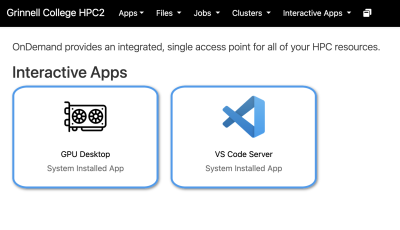
- Click the GPU Desktop tile under the *Interactive Apps* heading.
Configure the Job and Launch Session
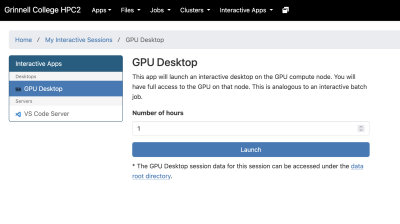
You will be presented with a job submission form. Since this interactive job is already configured, you'll only need to specify the amount of time (in hours) you expect the job to run. Click 'Launch' to submit the job to the scheduler. Your job will be placed in the queue.
Wait for the Job to Start
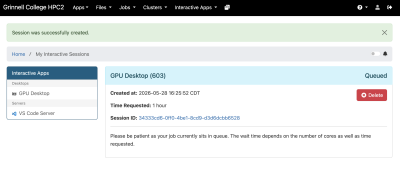
You'll be directed to a page displaying your active and recent sessions. Your new session status will typically show:
- Queued
- Starting
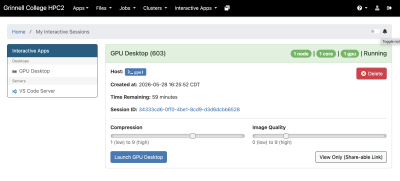
- Running
Once the job starts, a button titled *Launch GPU Desktop* will appear. Click it to open the remote desktop in your browser.
Use the Desktop Environment
Inside the desktop session, you can: * Open terminals * Run GUI applications * Use IDEs
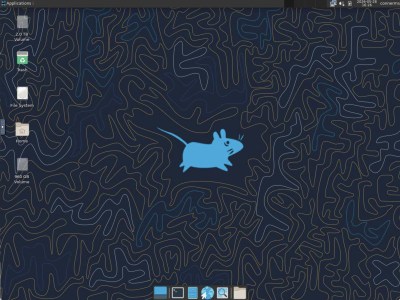
The session behaves similarly to a Linux desktop computer running on the cluster.
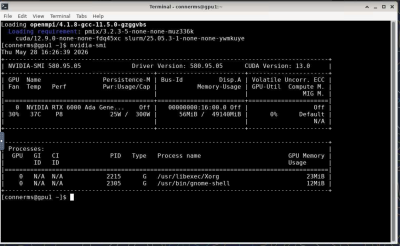
File Access
You can transfer and manage files using: * The *Files* menu in Open OnDemand * SCP/SFTP
Your home directory on the cluster is available in the desktop session.
Ending the Session
When finished:
- Save your work.
- Close applications.
- Return to the Open OnDemand dashboard.
- Select *My Interactive Sessions*.
- Click *Delete* to end the job.
Closing the browser tab alone may not stop the job.
Troubleshooting
Job Stays Queued
The cluster is likely busy and is already using the GPUs for other running sessions. You can see what jobs are currently running by accessing the *Jobs* menu in Open OnDemand and selecting 'All Jobs'.
Desktop Will Not Open
Possible causes:
- Browser popup blocker
- Expired session
- VNC/websocket startup failure
Try:
- Refreshing the page
- Relaunching the job
- Using a different browser
Session Disconnects
Interactive jobs automatically terminate when:
- Wall time expires
- The job is canceled
- Cluster maintenance occurs
Save work frequently.
Best Practices
* Request only the resources you need. * Use shorter wall times when possible. * Terminate unused sessions promptly. * Use interactive desktops for visualization and development, not large batch production runs.